

CockroachDB users don’t all show up in the same place or follow the same path. Some are just starting to evaluate distributed SQL. Others are deep in implementation details, or they may already be operating cloud-based clusters. A growing number are building day-to-day with an AI coding assistant open alongside their editor.
From Learning to Building: AI assistance across the CockroachDB user journey
Our AI assistance is designed to meet users where they are, across the full journey, from learning to building.
Learning: from first encounter to product understanding
We’ve seen more people using our AskAI chatbot to better understand what CockroachDB is, what it’s built for, and how to get started. We’ve also seen our users get into AskAI when they have more specific implementation questions as they work through documentation, patterns and best practices. We’ll continue to expand upon AskAI, and other AI assistance to support the learning journey, especially as we gather feedback from current users!
Building: in-product help and hands-on-keyboard support
Now we’ve expanded CockroachDB AI assistance further with two new additions for building:
AskAI in the CockroachDB Cloud Console, for in-product help while you’re actively using CockroachDB in the cloud
The CockroachDB Docs MCP Server, for coding assistance when you’re hands-on keyboard building
This journey isn’t strictly linear. Users may bounce between the main site, docs, Console, and their editor depending on what they’re trying to accomplish. Our goal is to support any of those moments, by making help available in the places users already work.
AskAI in the CockroachDB Cloud Console for In-Product Help
When you’re in the Cloud Console, you’re usually past the “What is this?” exploratory stage. Instead, you’re making decisions: provisioning clusters, checking usage, configuring settings, troubleshooting behavior, and trying to interpret what you’re seeing on-screen.
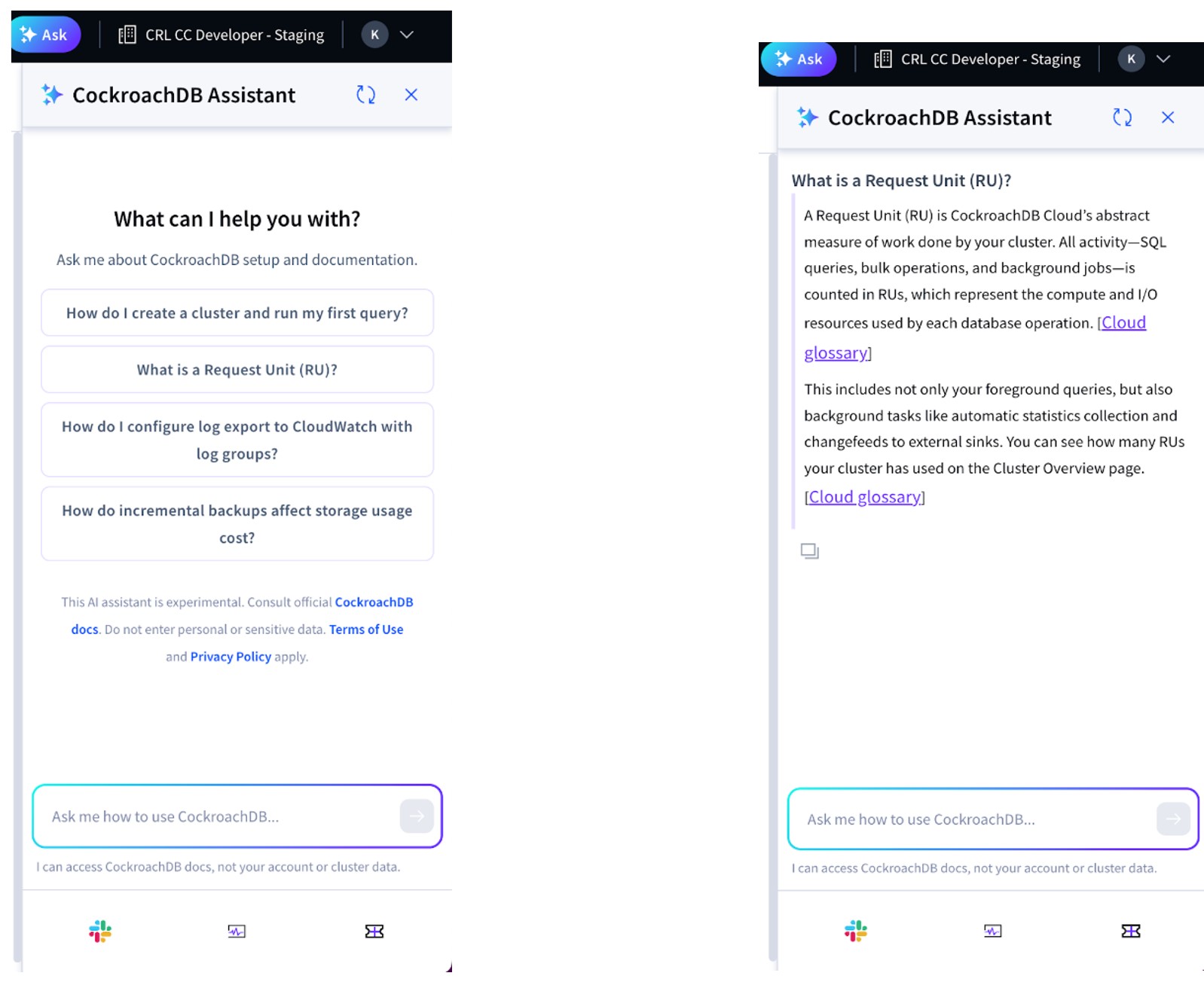
AskAI in the Cloud Console is designed for those in-the-moment questions, without forcing you to leave the Console and hunt through docs in another tab. It’s available directly in the Console UI, with suggested prompts to help you get started and responses that point you back to authoritative CockroachDB documentation when you want to go deeper.
Examples of the kinds of questions it can help with include:
“What is a Request Unit (RU)?”
“How do I create a cluster and run my first query?”
“How do I configure log export to CloudWatch with log groups?”
“How do incremental backups affect storage usage cost?”
As of now, the Console assistant can access CockroachDB documentation, not your account or cluster data – but stay tuned for future updates.
The CockroachDB Documentation MCP Server for coding assistants
When you’re building with CockroachDB, writing SQL, wiring up application code, or iterating on a schema, you might have an AI coding assistant open alongside your editor. That can speed things up, but it also introduces a common failure mode: The assistant confidently generates code based on outdated syntax, deprecated patterns, or generic best practices that don’t match CockroachDB’s current recommendations.
That’s where the CockroachDB Documentation MCP Server (aka Docs MCP Server) comes in. It connects MCP-compatible coding assistants directly to current CockroachDB documentation, including our prescriptive how-tos, best practices, and opinionated guidance on building with CockroachDB.
What is MCP in AI?
The Model Context Protocol (MCP) is an open standard that lets AI agents connect to external data sources and tools. Think of it as a standardized way for agents to "plug in" to your documentation, databases, APIs, or other resources they need to do their job well.
Instead of relying solely on training data that may be months or years old, an MCP-enabled agent can query live resources during a coding session. When your agent needs to know the current syntax for a CockroachDB transaction, the latest guidance on multi-region deployments, or how to optimize a specific query pattern, it can pull that information directly from the source.
Why does this matter for CockroachDB development?
We're constantly improving performance, adding features, and refining our recommendations based on real-world usage patterns. Using the Docs MCP Server allows your agents to stay as current as the product.
The CockroachDB Documentation MCP Server gives your coding agents access to:
Query optimization rules - Current guidance like scanning as few rows as possible, using the right indexes, and choosing appropriate join types based on table sizes
Schema design best practices - Using gen_random_uuid() for distributed-friendly primary keys, avoiding sequential IDs that create hotspots, and implementing hash-sharded indexes when needed
Transaction handling patterns - Implementing proper client-side retry logic for serialization errors, using SELECT FOR UPDATE to reduce contention, and batching statements to enable automatic server-side retries
Multi-region topology patterns - Choosing between REGIONAL BY TABLE, REGIONAL BY ROW, and GLOBAL table localities based on your latency requirements, and understanding the tradeoffs between zone and region survival goals
Performance tuning - Multi-row DML statements over single-row operations, using UPSERT vs INSERT ON CONFLICT appropriately, and implementing Row-Level TTL for data lifecycle management
When you're using a tool like Claude Code to build out database logic, or application code, your agents can now reference the same documentation you would.
How does the CockroachDB documentation MCP server work?
The MCP server exposes CockroachDB documentation through a simple interface that coding agents can query. When an agent needs information about CockroachDB, it can search the docs, retrieve specific articles, or ask for guidance on implementation patterns.
Integration is straightforward. For Claude Code, you can configure the MCP server connection and start working immediately. The agent handles the queries behind the scenes – you just get better, more accurate code.
Here's a simple example workflow:
You ask your coding agent to write a function that handles transaction retries properly.
The agent queries the CockroachDB Docs MCP Server for current best practices on client-side retry logic.
It generates code that correctly catches serialization errors and implements the recommended exponential backoff pattern.
You get agent-written error handling that follows CockroachDB's transaction retry guidelines.
How to get started with the Docs MCP Server
The CockroachDB Documentation MCP Server is available now from the docs page. The Quick Start setup takes just a few minutes:
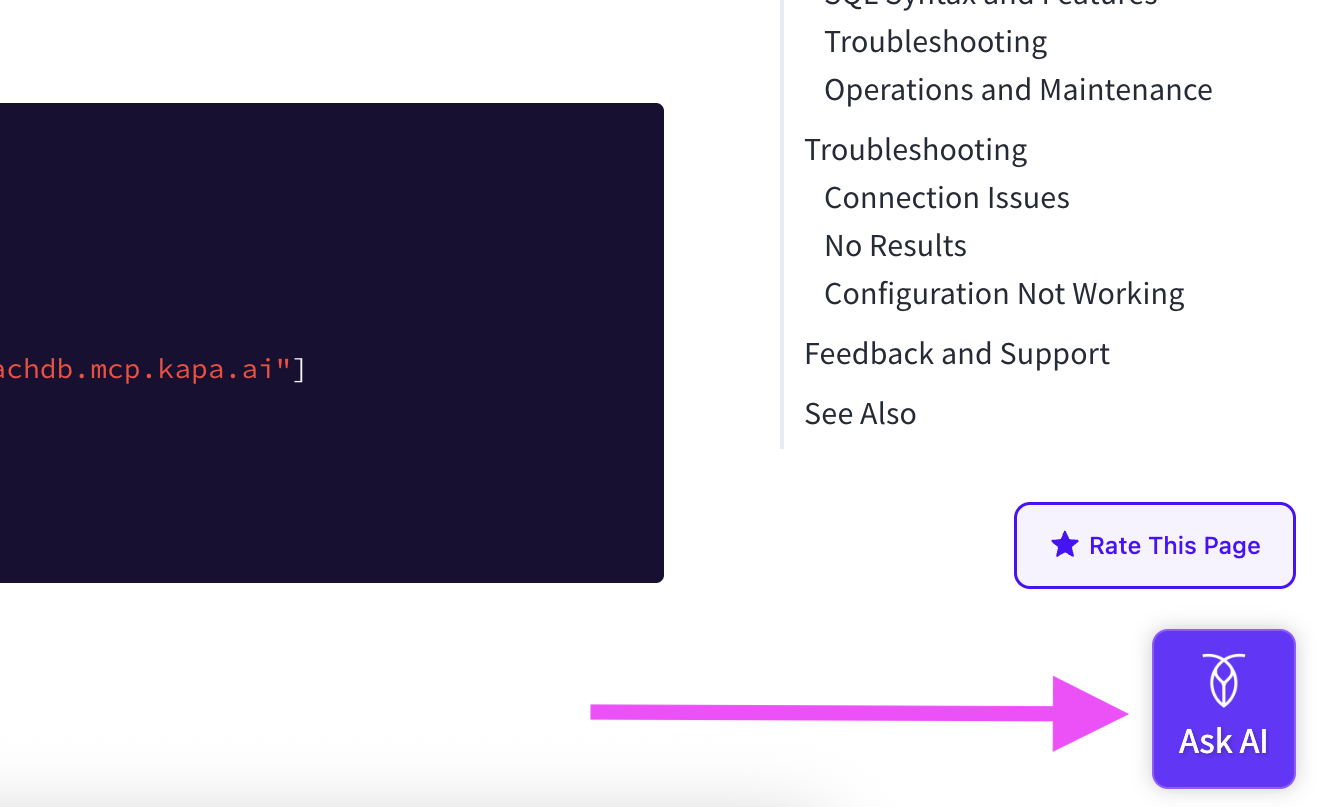
Click the “Ask AI” Widget on the bottom left of any page on the CockroachDB Documentation Site.
Click “Use MCP” and follow the installation instructions for your desired platform.
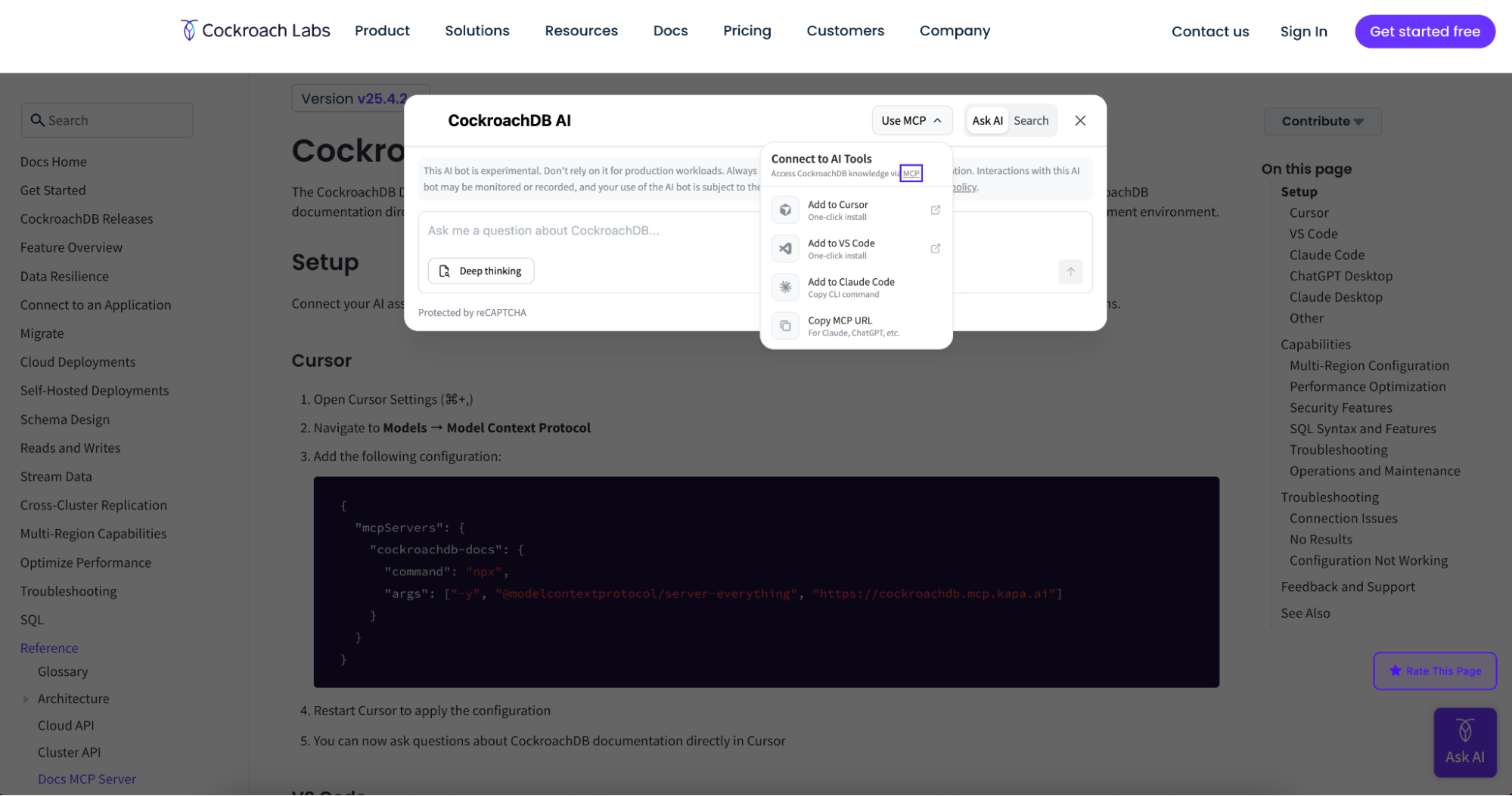
Once configured, point your MCP-compatible coding agent at the server and start building. The agent will automatically query the documentation when it needs CockroachDB-specific information.
You can also read more detail about the Docs MCP Server in the official documentation.
If you run into issues or have suggestions for expanding the Docs MCP Server's capabilities, we want to hear from you! Please open an issue on GitHub or reach out to us on our community Slack.
Supporting developers from learning to building
Whether you’re evaluating CockroachDB for the first time, digging into documentation to solve a specific problem, operating a cluster in the Cloud Console, or writing code with a coding assistant, the goal is the same: get reliable help in the moment you need it.
AskAI in the CockroachDB Cloud Console brings guidance into the in-product experience, and the CockroachDB Documentation MCP Server brings that same grounding into your coding assistant when you’re hands-on-keyboard.
Ready to give your coding agents access to current CockroachDB knowledge? Check out the CRDB Documentation MCP Server and get started today.
Try CockroachDB Today
Spin up your first CockroachDB Cloud cluster in minutes. Start with $400 in free credits. Or get a free 30-day trial of CockroachDB Enterprise on self-hosted environments.
Kiki Carter is Senior Manager, AI & Platform Engineering for Cockroach Labs. In her four years at Cockroach Labs, she has developed curriculum, tooling, applications, and agentic workflows to accelerate CockroachDB Education, documentation and training.