

DBmarlin is a monitoring platform for databases. The CockroachDB integration with DBmarlin enables DBmarlin to view CockroachDB metrics stored in the . In this tutorial, you will enable the CockroachDB integration in DBmarlin, run a workload on CockroachDB, and visualize data. For more information about the integration, see the Cockroach Labs blog post.
For more information about using DBmarlin, see the DBmarlin documentation.

Before you begin

You must have the following set up before proceeding with this tutorial:

Step 1. Connect DBmarlin to CockroachDB

Follow the steps in CockroachDB.

Step 2. Run a sample workload

To test the dashboard functionality, use to run a sample workload on the cluster. Initialize the workload for MovR, a fictional vehicle-sharing company:
Run the MovR workload for 5 minutes:

Step 3. View database behavior in DBmarlin

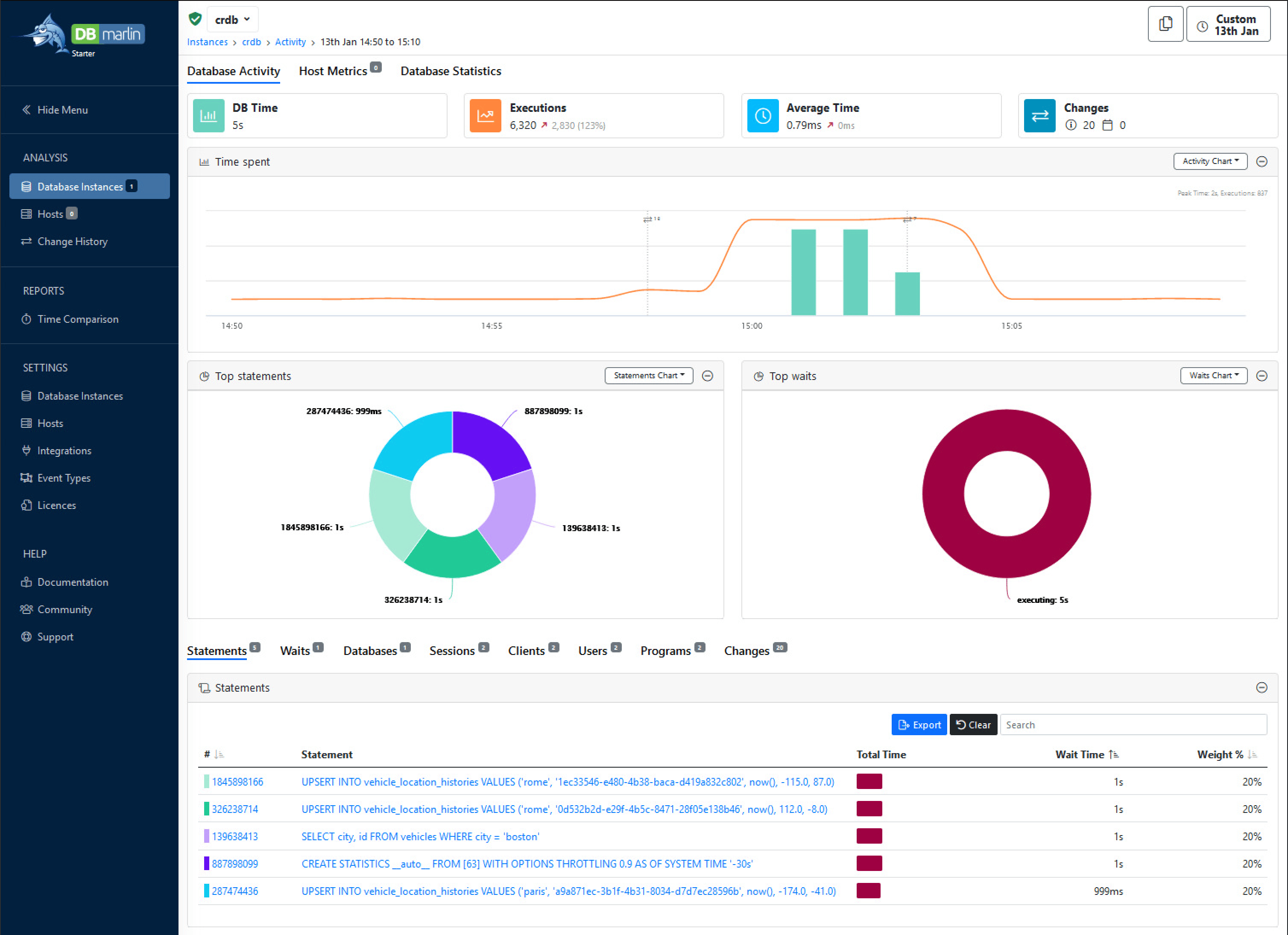
Follow the steps in Instance Dashboard. When you open the dashboard you’ll see: CockroachDB Overview dashboard for DBmarlin
See also